
NAVIGATION
NAV is a top-level page on the website
Barbados Fringing Reefs & Seagrass Beds
Natural History Perspectives of a Visiter
NAV is short for Navigation, referring to how one gets around (navigates) this website.
In brief…
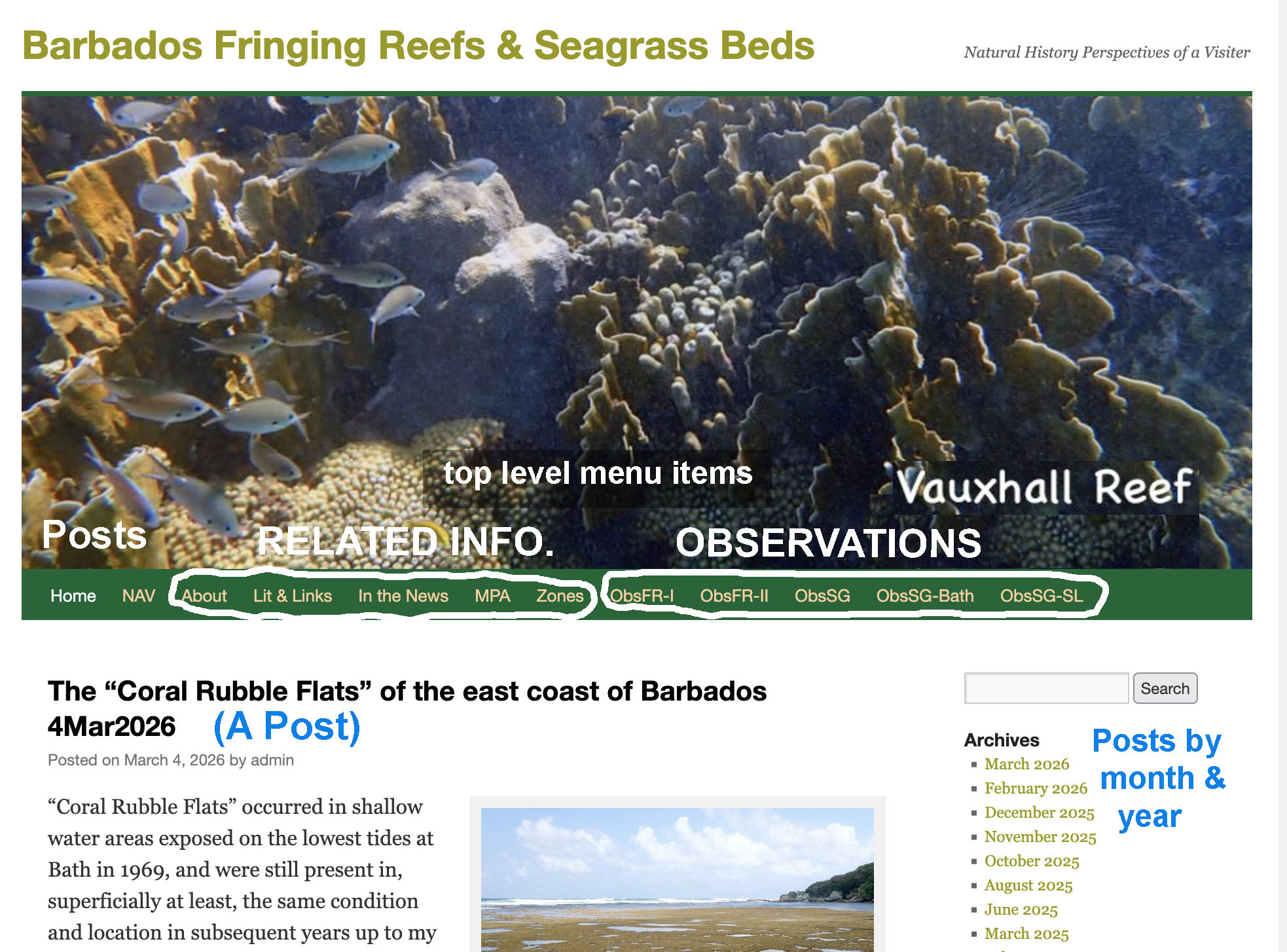
Screenshot of website 31Mar2026 with Home Page selected.
Click on images on this page for larger versions
Excluding this page (NAV), there are three sections to the website,
– “Posts” or Blogs” are shown when “Home” is selected from the top-level menu; most recent at top;
– Info. related to Barbados Fringing Reefs and Seagrasses is accessed via the top level menu items “About..to Zones”
– Observations on Barbados Fringing Reefs and Seagrasses are accessed via the top level menu items “ObsFR-I, ObsFR-II, ObsSG, ObsSG-Bath, ObsSG-SL”
Most of top-level menu items have submenus which show up when you click on the top-level menu item. Those are mostly just simple lists of subpages for the Related Info items.
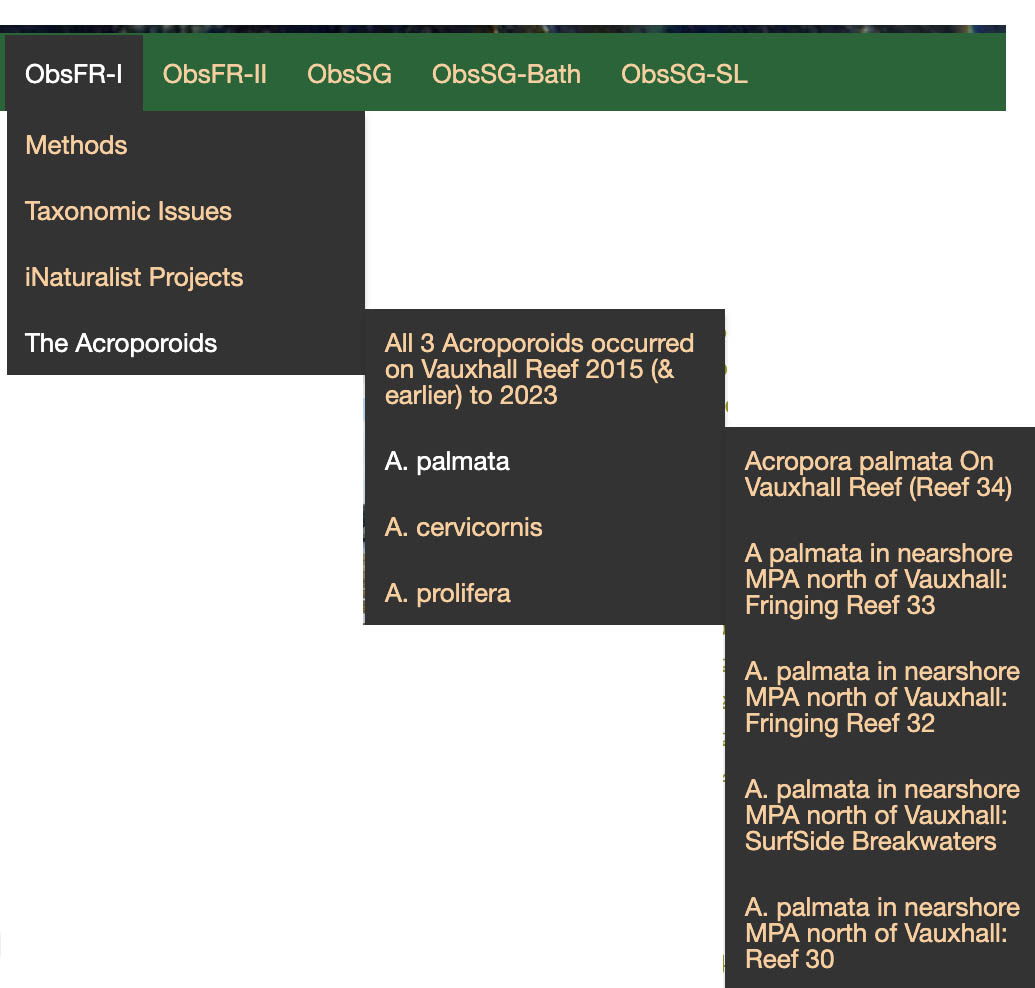
ObsFR-I selected, then “The Acroporoids”, then “A. palmata” Click on image for larger version
However, the navigating menus under the Observations items can be tricky as there are up to 3 levels of submenus (example at right.
To make it easier to see “what’s there and where”, when you click one of the top level items (ObsFR-I,..,ObsSG-SL), titles of and links to all pages in each of those sections are given.
An example:
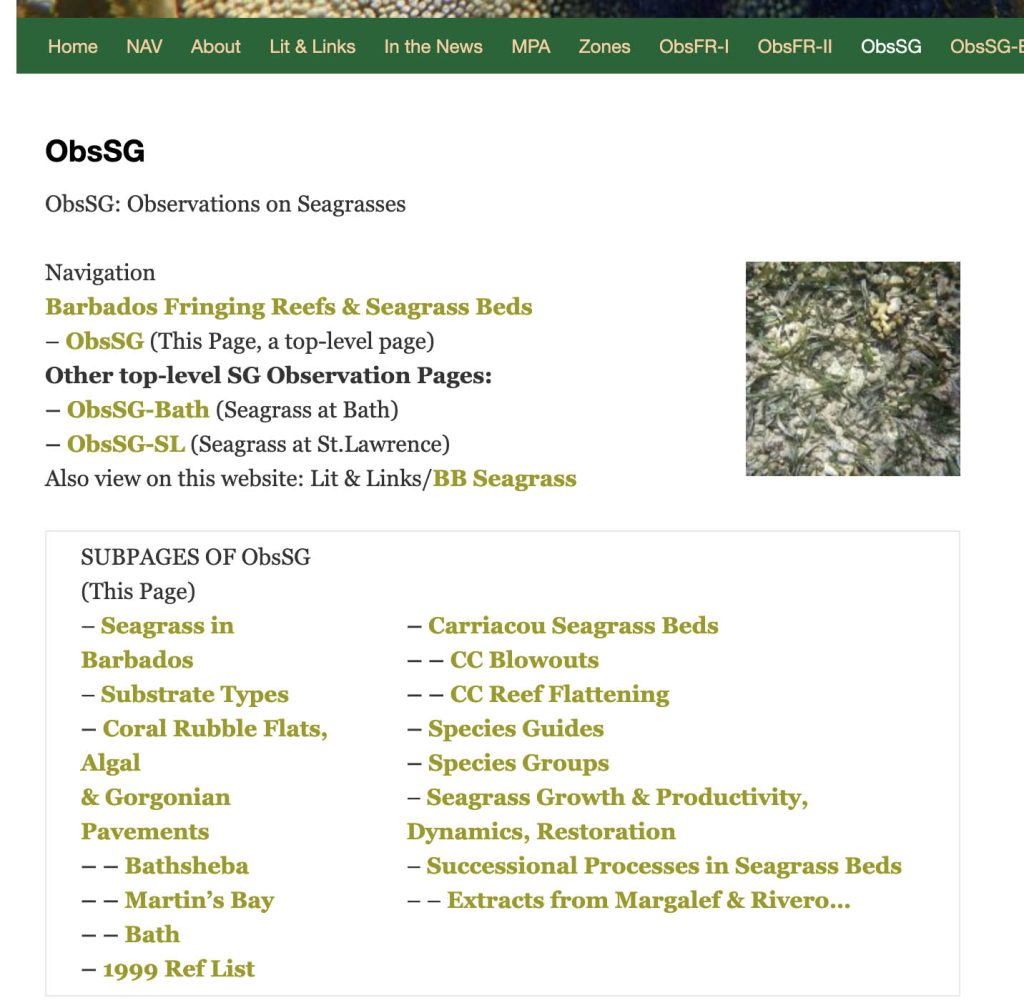 Note that the top part – Navigation – tells the visitor where one is at, i,e, on the Barbados Fringing Reefs and Seagrass Beds website, and on a top level page, ObsSG.
Then the subpages are listed as active links to each of those pages.
To make it easier to “see where one is” on a particular page in the Observations section, I have added at the top of each page, in small print, info. on where the page is and a link to the full lists of contents for the particular section, e.g.:

Hope that all helps.
- david p Feb 4, 2026. Updated Apr 1, 2026